It’s fitness testing week. You have 30 students lined up for the mile run, a stopwatch in one hand, a clipboard in the other, and a pencil that just rolled under the bleachers. By the final bell, you’ll have recorded hundreds of numbers. By Friday, thousands.
Then the real work begins.
Those numbers still need to be organized, compared to benchmarks and last semester’s results, shared with families, and summarized for administrators. For many physical education teachers, this is the moment fitness testing goes from meaningful to exhausting.
So, what is the best way to record fitness assessment scores?
Below, we compare paper, spreadsheets, and dedicated software on what matters most to teachers and districts: time, accuracy, insight, and security.
The Quick Answer
The best way to record fitness assessment scores is with purpose-built fitness assessment software developed for PE educators and schools. Paper is slow and easy to lose. Spreadsheets rely on manual entry and fragile formulas. The right software lets PE teachers enter each score once on a tablet, laptop, or computer, then instantly compare results to benchmarks, track growth over time, and generate reports for students, families, and administrators.
Why the Way You Record Scores Matters
A physical fitness assessment is only as useful as what happens after the test. Scores sitting in a binder or Excel sheet can’t guide instruction, motivate students, or prove a PE program is working.
When used effectively, PE fitness assessments provide longitudinal data to help students set personal goals, help teachers recognize who needs extra support, and give administrators evidence to share with their school boards. Every fitness assessment in school should end with information someone can act on, and the recording method greatly influences that.
Option 1: Paper Score Sheets
Paper is where most teachers start, and it has real advantages. It’s inexpensive, requires no training, and works anywhere, with or without Wi-Fi.
The trouble shows up after fitness testing is done:
- Double the data entry. Paper scores eventually get typed somewhere else, so every result is recorded twice.
- Errors are easy to make and hard to catch. A rushed 7 can look like a 1, and a skipped line can attach one student’s score to another.
- No built-in context. A raw score means little until it’s compared to an age-appropriate benchmark.
- Growth is nearly impossible to see. Comparing fall to spring, or this year to last year, means digging through folders by hand.
Paper makes a fine backup when technology fails. As a primary system, it costs far more time than it saves.
Option 2: Spreadsheets
Spreadsheets feel like the natural upgrade. They’re usually free, easy to sort, and capable of handling averages and simple charts.
But spreadsheets carry hidden costs of their own:
- Privacy gets complicated. Files emailed between staff or saved to personal drives make student records harder to protect under FERPA.
- Manual entry doesn’t go away. Many teachers still record on paper during testing, then transcribe everything into the spreadsheet later.
- Formulas break quietly. One missorted column or overwritten cell can scramble an entire class’s results without anyone noticing.
- Benchmarks must be built by hand. Someone has to enter and maintain standards for every age, gender, and test item.
- Every teacher builds a different version. District leaders can’t compare campuses without hours of cleanup.
A spreadsheet is only as reliable as the person who built it. When that person changes schools or retires, the system often leaves with them.
Option 3: Fitness Assessment Software
Dedicated fitness assessment software is designed for exactly this job. Instead of forcing a general-purpose tool to work, educators use a platform built for PE teachers and fitness assessments in schools.
With this type of specialty software, educators enter scores directly on a tablet, laptop, or computer during testing, so there’s nothing to transcribe later. Benchmarks are preloaded, so every result is compared to standards automatically. Rosters of your classes are automatically entered instead of you wasting a weekend typing names. Because each assessment period lives in one place, it’s simple to track student fitness from fall to spring and year to year. Reports that once took a weekend now take minutes.
For administrators, software standardizes data collection across campuses, rolls results up to the district level, and keeps student information in one secure system instead of scattered files.
🏃♀️ Learn why SHAPE America recommends using technology for tracking PE student data.
Paper vs. Spreadsheets vs. Software: Side-by-Side Comparison
| Factor | Paper | Spreadsheets | Fitness Assessment Software |
| Data entry | Recorded by hand, then retyped | Typed manually, often from paper | Entered once, during testing |
| Accuracy | Prone to misreads and lost sheets | Prone to typos and broken formulas | Far fewer transcription errors |
| Benchmark comparison | Done manually | Requires custom formulas | Built in and automatic |
| Growth over time | Very difficult | Possible with file merging | Automatic, year over year |
| Sharing with families | Individual notes or copies | Manual exports and emails | Reports shared in a couple of clicks |
| District reporting | Not practical | Time-consuming cleanup | Student, class, school, and district reports |
| Data security | Sheets are easy to misplace | Files spread across drives and inboxes | Centralized, secure storage |
| Upfront cost | Very low | Low | Annual subscription |
Paper and spreadsheets look cheaper on the surface. Once teacher time, data errors, and lost insight are factored in, software is the best way to record fitness assessment scores for most schools, and often the most cost-effective one, too.
What to Look for in Fitness Assessment Software
Whether you’re an educator building a case for leadership or a district administrator comparing vendors, use this checklist to find the best way to record fitness assessment scores for your school or district:
- Built for educators. Choose software designed around how PE classes and school districts actually operate, not a consumer fitness or gym tool.
- Flexibility across tests. It should support the assessments your state or district requires.
- Fast score entry. Teachers should log results on devices they already have.
- Built-in norms and benchmarks. Scores should be compared to nationwide norms and age-appropriate benchmarks automatically, with no manual lookups or custom formulas.
- Longitudinal reporting. Growth reports should follow each student across testing periods and school years.
- Reports for every audience. Student, class, school, and district views, without extra work.
- Automated rosters. Look for software that loads students and classes automatically.
- Secure data storage. Ask exactly where data is stored and how it’s protected.
- Responsive customer support. Look for a vendor with real customer support specialists who answer quickly and know your account.
- Transparent pricing. Predictable costs that fit PE budgets.
🏆 Learn how a PE teacher turned her fitness assessment data into a five-year teaching stipend.
Why the IHT Spirit Assessment Software Is the Best Way to Record Fitness Assessment Scores
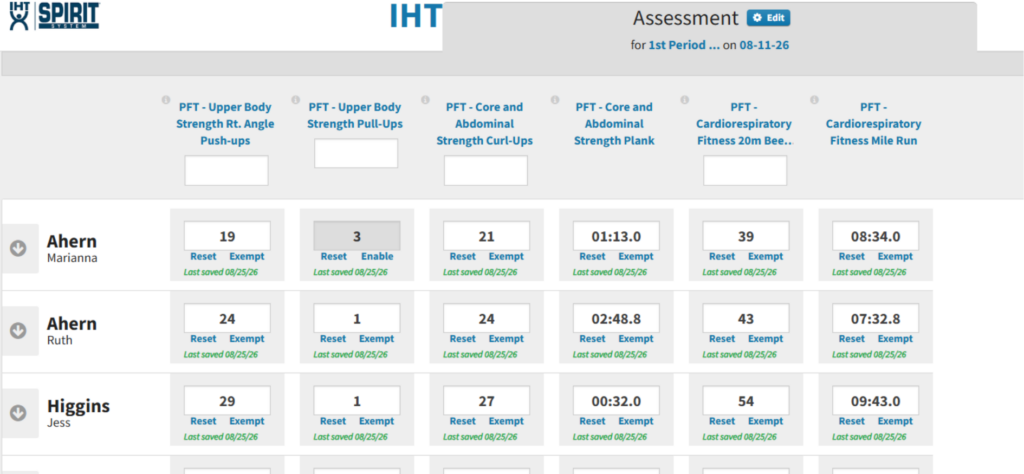
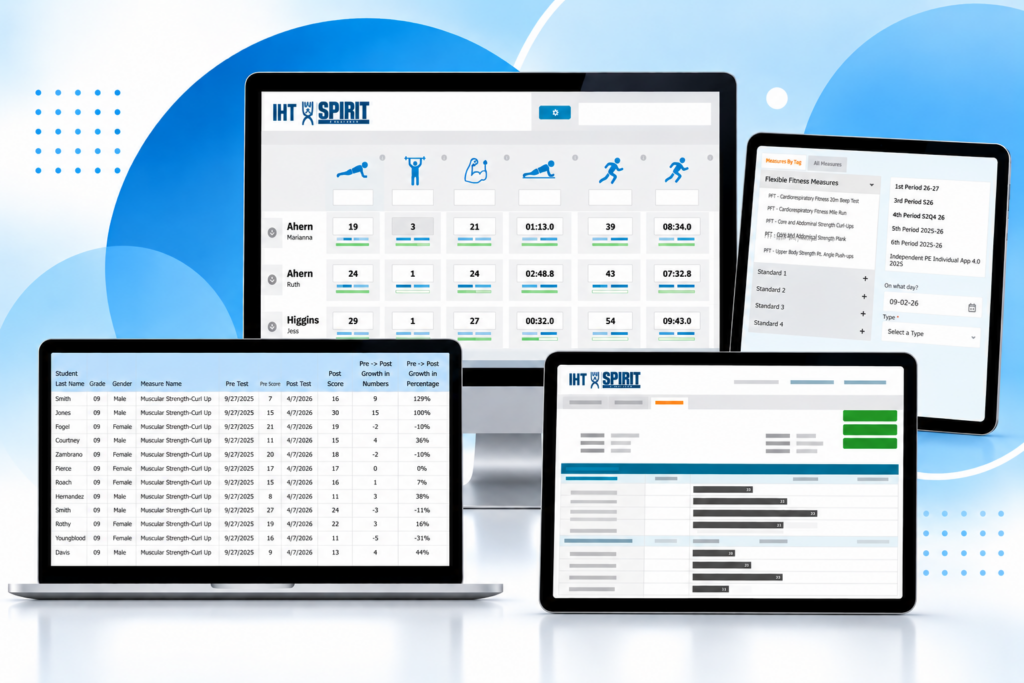
The IHT Spirit Assessment Software gives PE teachers and administrators the best way to record fitness assessment scores without adding to anyone’s workload. Part of the IHT Spirit Software Suite, the comprehensive system for monitoring student wellness and growth tracking, this robust platform helps educators turn assessment results into meaningful, longitudinal information that can improve instruction and demonstrate student growth.
Since it was built by PE teachers for PE teachers, the software reflects how fitness assessments actually happen, with practical tools educators rely on and built-in trend analysis that surfaces insights across classes, grade levels, and campuses.
Here’s what schools and districts get with the IHT Spirit Assessment Software:
- Easy score entry. Teachers enter student results quickly on a tablet, laptop, or computer.
- Built-in group stopwatch. For timed measures like the mile run or plank, start the software’s built-in timer for the whole class with one click, then tap each student’s name as they finish. Times are recorded automatically, with no handheld stopwatch needed.
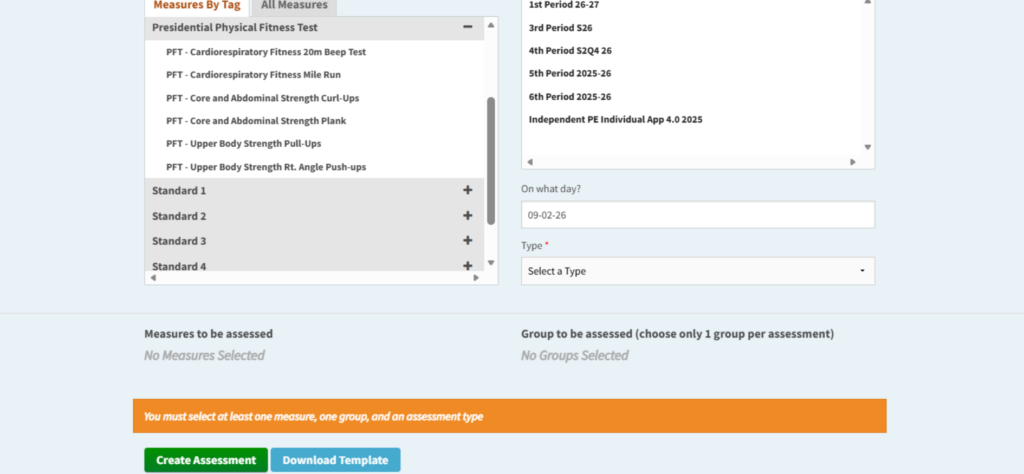
- Assessments tailored to your district. IHT works with PE coordinators to set up the exact measures their district and state require, so teachers always know which tests to give.
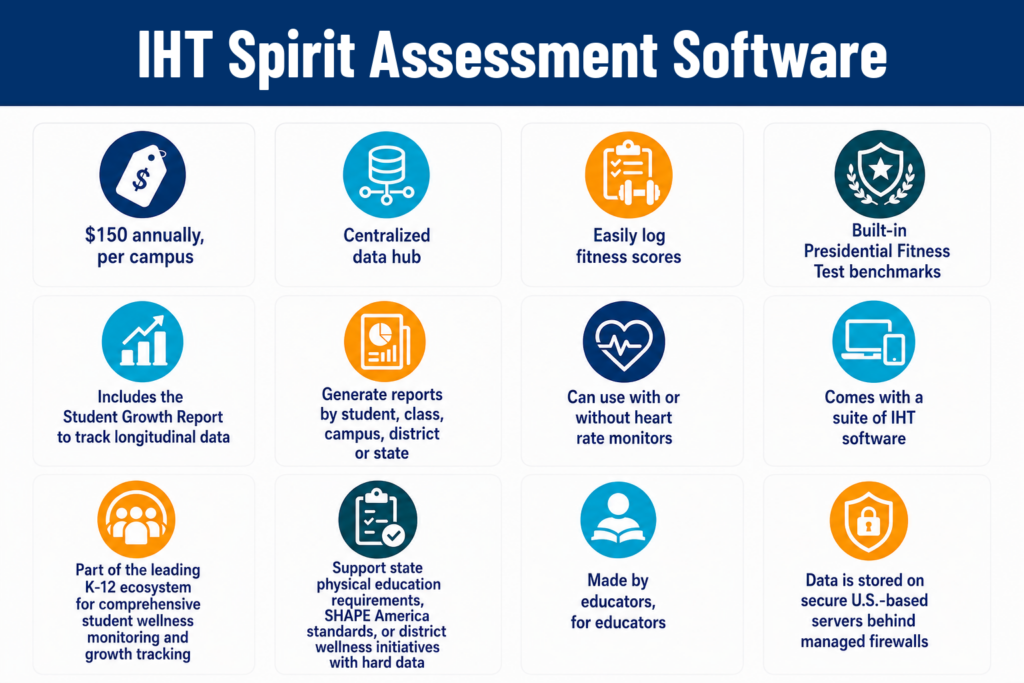
- Nationwide norms and benchmarks. Compare student performance against national standards automatically.
- Missing student score checks. Custom Reports make it easy to catch gaps and see which students still need to complete their assessments. Mistakes are very easy to fix, too.
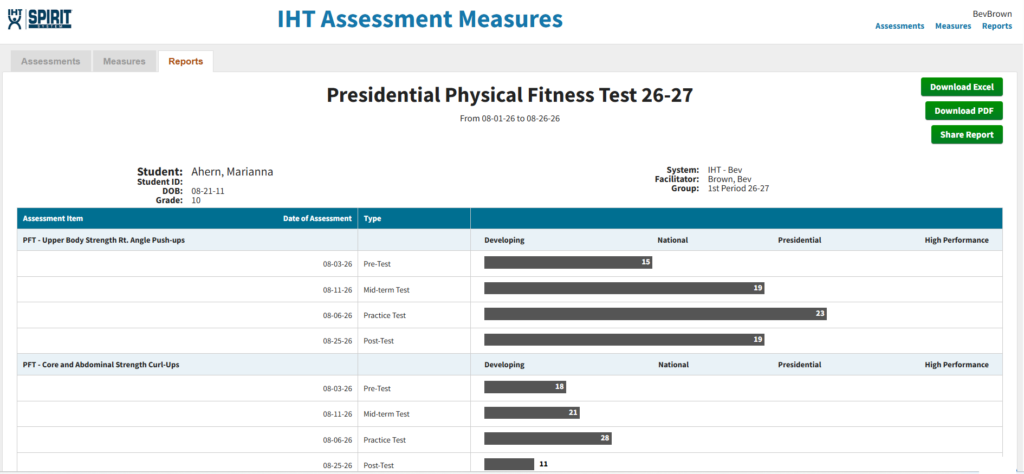
- Student reports that build ownership. Email results, including past data, directly to students so they can review their progress and set personal fitness goals. Reports can be shared with parents, too.
- The Student Growth Report. View every student’s results side by side across any time period, with progress shown in both numbers and percentages. Simply label assessments as a pre-test, midterm, or post-test, and growth is easy to see and communicate. Learn more about the Student Growth Report.
- Reports at every level. Generate student, class, school, district, and statewide reports.
- Automated rosters. Students and classes are added automatically, so teachers can skip manual data entry and get straight to recording scores.
- Secure, U.S.-based data storage. Data is stored on secure U.S.-based servers behind managed firewalls.
- Training and support at every step. Customer support is included, so teachers get up and running quickly and have an expert to answer questions all year. IHT also offers resource documents and a library of 30+ how-to videos for every stage of the fitness assessment process.
- Simple, budget-friendly pricing. $150 per year, per campus, for unlimited teachers and students.
The software works as a standalone tool, and schools that want even deeper wellness insight can pair it with the Spirit heart rate monitors.
💻 Schedule a free virtual demo of our IHT Spirit Assessment Software.
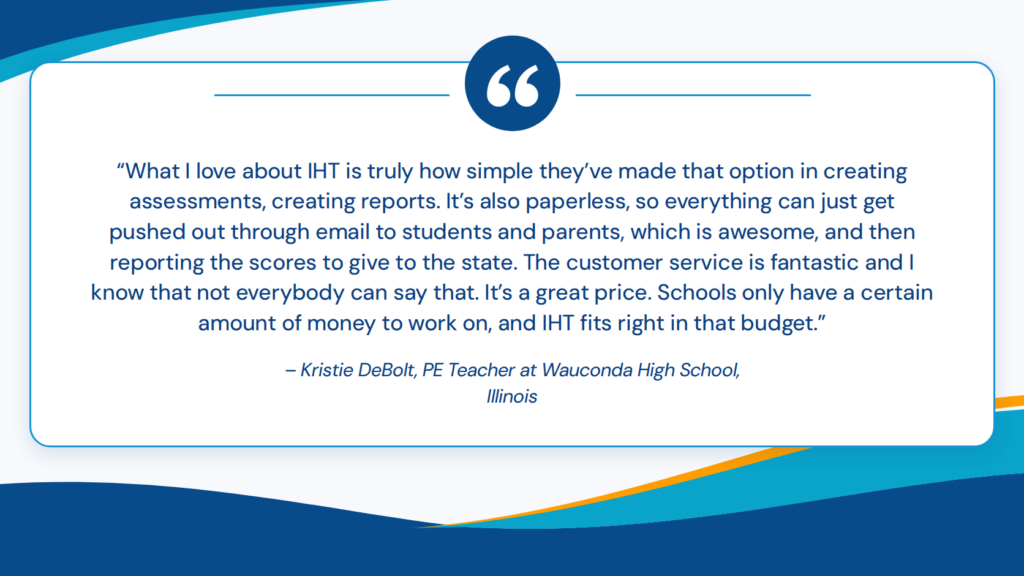
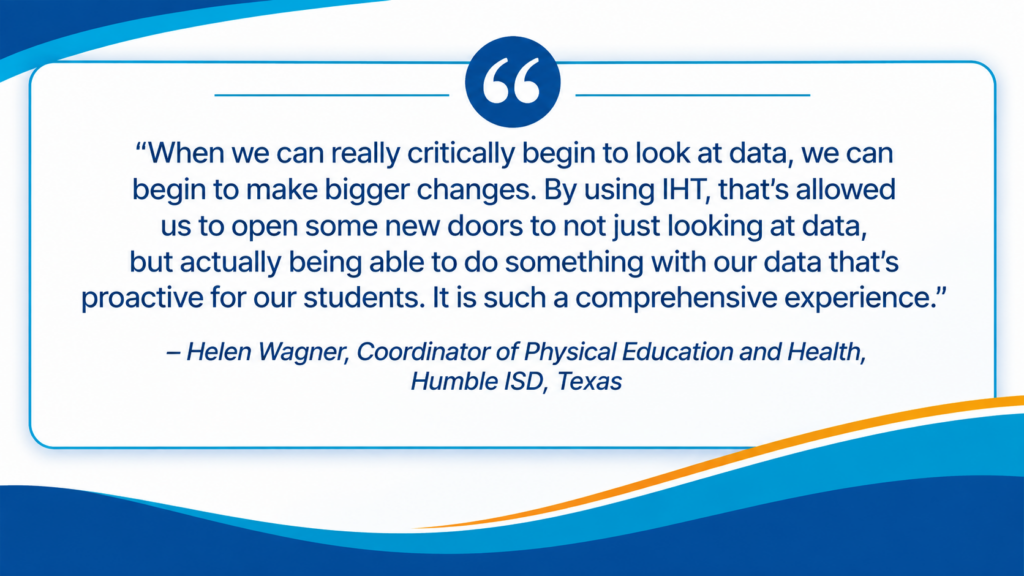
Why PE Teachers & PE Admin Choose the IHT Spirit Assessment Software
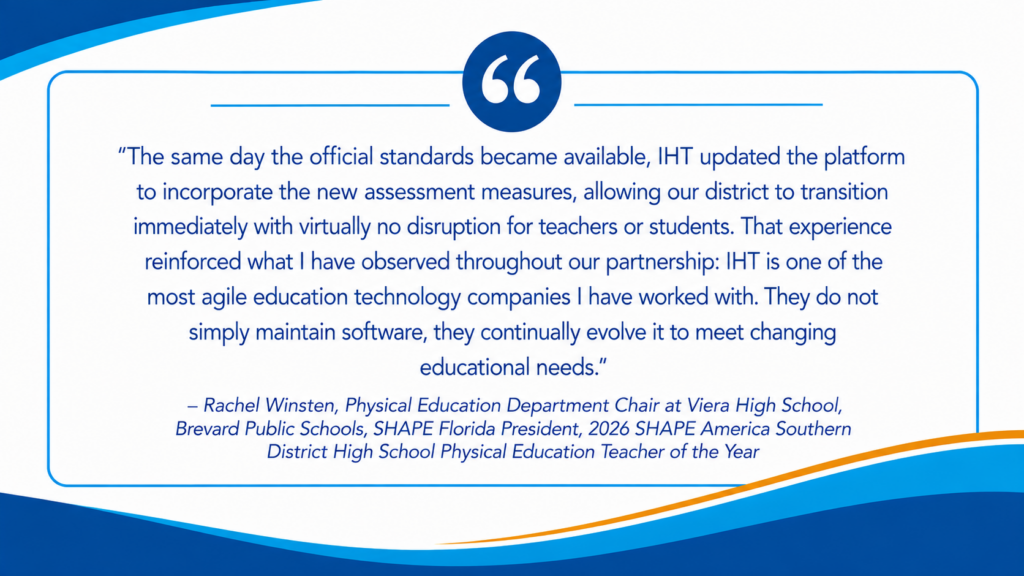
💰 Concerned about costs? Learn more about helpful funding strategies for edtech that truly work.
Frequently Asked Questions
How often should schools conduct fitness assessments?
Many schools run these assessments at least twice a year, near the beginning and end of the school year, so they can measure growth. Requirements vary by state and district.
What do fitness assessments in PE measure?
Most PE fitness assessments measure several components of health-related fitness, including aerobic capacity, muscular strength, muscular endurance, and flexibility. Some also include body composition. The exact test items vary by the assessment your state or district uses. IHT works with PE coordinators to set up the exact measures their district and state require, so teachers always know which tests to give when using our software.
Can fitness assessment software work with the test my state requires?
The IHT Spirit Assessment Software is ready to use for any and all K-12 school fitness assessments, including the Presidential Fitness Test.
Do students need their own devices during testing?
No. Teachers enter fitness assessment scores on a tablet, laptop, or computer, so testing runs smoothly even in schools without one-to-one devices.
Is student fitness assessment data protected under FERPA?
Fitness scores kept by a school are generally part of a student’s education records, which FERPA (Family Educational Rights and Privacy Act) protects. Schools should store this data in a secure system with clear access controls and ask vendors where and how data is stored.
How does IHT store and protect fitness assessment data?
IHT stores all data on secure U.S.-based servers behind managed firewalls. Data is encrypted during transmission and at rest, backups run regularly, and only authorized personnel can access it, using multifactor authentication. Schools always remain the owners of their data, and IHT never sells student information or uses it for advertising. IHT first signed the Student Privacy Pledge in 2016 and reaffirmed its commitment by signing the updated pledge in 2025. Read our full privacy policy.
Ready for Fitness Assessment Software to Make Your Job Easier?
Paper and spreadsheets make teachers do work that a computer should handle. When scores are recorded once, compared automatically, stored safely, and turned into reports in seconds, teachers can improve instruction and get their planning time back, students see their progress, and administrators get data they can confidently bring to the board.
If you’re ready to learn why so many educators consider software as the best way to record fitness assessment scores, our team would love to show you how the IHT Spirit Assessment Software can work for your school or district.